3D Product Animation: What It Costs, How It's Made, and When It's Worth It
The short version
Most products are hard to film well. The best parts are inside a housing, the prototype isn't finished, or the thing is the size of a room.
 Product story / KUKA Robotics
01 / Intro
Most products are hard to film well. The best parts are inside a housing, the prototype isn't finished, or the thing is the size of a room. 3D product animation solves all three: you can show exactly how a product works, from any angle, before a single unit ships.
It also has a reputation for being expensive and slow. Sometimes that's fair. Often it isn't, because the price depends far more on what you ask for than on how long the video runs.
This guide covers what 3D product animation is, where it outperforms live video, how a production actually runs, and what it costs in 2026, with real price ranges. If you're planning a project, you'll also find a checklist for briefing a studio so you get an accurate quote the first time.
02 / The definition
What is 3D product animation?
3D product animation is video built entirely in software from a digital model of your product. Instead of a camera crew, lights, and a physical sample, a 3D artist builds (or imports) the product as a 3D model, gives it realistic materials, lights it, and animates the camera and the product itself.
The result can look photoreal, stylized, or technical, depending on the goal. Because nothing is physical, the camera can pass through walls, the product can come apart and reassemble, and invisible things like airflow, heat, or signal paths can be shown on screen.
Swipe sideways to compare
| Comparison | 3D product animation | Live-action product video |
|---|---|---|
| Needs a physical product | No, CAD files or drawings are enough | Yes, a finished sample |
| Shows internal parts | Yes, with cutaways and exploded views | Only by disassembling the product |
| Easy to update later | Yes, change the model and re-render | Usually means a reshoot |
| Reusable assets | Model works for stills, web 3D, AR, and future videos | Footage is tied to one shoot |
| Human presence and emotion | Harder, needs character work | Natural strength |
| Typical cost for 60 seconds | $8,000 to $25,000 | $3,000 to $15,000 |
Many of the strongest campaigns combine both: live action for people and context, 3D for the product story.
03 / The decision
When 3D product animation is worth it
3D earns its budget when the thing that sells your product is hard or impossible to film. The clearest cases:
Complex or internal mechanisms.
Valves, sensors, drivetrains, and electronics where the value is inside the housing. Cutaways and exploded views explain in 20 seconds what a spec sheet takes two pages to say.
Products that don't exist yet.
Launch marketing, investor decks, and pre-orders can start from CAD while manufacturing catches up.
Large or installed equipment.
Production lines, industrial systems, and anything too big, too dangerous, or too remote to shoot well.
Trade shows and sales meetings.
A looping animation on a booth screen or in a sales deck carries the demo when the real product can't travel.
Many variants.
Once the model exists, new colors, configurations, and aspect ratios are fast to produce, which suits product lines and multi-channel campaigns.
Technical audiences.
Engineers, buyers, and QA teams trust a precise, accurate animation more than a lifestyle montage.
When isn't it worth it? If your product is simple, physical, and already on the shelf, and the story is about people using it, a good live-action shoot usually delivers more for less.
04 / The process
How 3D product animation is made, step by step
Every studio names the stages a little differently, but a professional production follows the same path. Approvals at each stage matter: a change made early costs minutes, while the same change made after animation starts can mean redoing finished work.
Brief and discovery.
Goals, audience, where the video will run, key messages, and the files available. This is where scope, and therefore price, gets set.
Script and storyboard.
A shot-by-shot plan of what the viewer sees and reads, plus any voiceover. You approve the story before anything is built.
Modeling.
The product is built in 3D. With clean CAD files (STEP, IGES, SolidWorks), this is mostly cleanup and optimization. Without them, artists model from drawings, photos, or a physical sample, which takes longer.
Materials and texturing.
Metals, plastics, glass, labels, and finishes are set up so the product looks right under light, down to the brushed-steel grain or the matte coating.
Lighting and look development.
The studio defines the mood and a set of style frames: still images that show what the finished video will look like. Approve these and there are no surprises later.
Animation.
Camera moves, product motion, exploded views, cutaways, and any physics or fluid simulation are keyed and timed to the storyboard.
Rendering.
Each frame is computed at final quality. A 60-second video at 30 fps is 1,800 frames, which is why rendering is a real line item and why changes after this stage are costly.
Compositing, sound, and delivery.
Callouts, typography, color grading, music, sound design, and voiceover are added, then the video is exported in every format and aspect ratio you need.
Most projects include two rounds of revisions, typically at storyboard, style frame, and animation preview stages.
05 / The budget
How much does 3D product animation cost?
In 2026, professional 3D product animation typically costs $5,000 to $15,000 for a short 30-second piece and $8,000 to $15,000 per finished minute for mid-tier product work. Technical animations with exploded views and cutaways run $20,000 to $50,000 or more, and cinematic launch commercials can pass $100,000.
Those numbers come from a review of published 2026 pricing guides from studios and agencies across the US market. Here's how they break down by type of project.
Cost by project type
10 to 30 sec
Product spin or hero loop
$1,500 to $10,000
360° rotation, studio lighting, a few feature close-ups, web-ready loop
30 to 60 sec
Product feature animation
$10,000 to $25,000
Custom model, photoreal materials, feature callouts, music
45 to 120 sec
Technical or exploded-view animation
$20,000 to $50,000+
Internal components, cutaways, assembly sequences, voiceover
30 to 90 sec
Launch or cinematic commercial
$25,000 to $100,000+
Multiple environments, simulations, broadcast-grade finish
Cost by quality tier
Swipe sideways to compare
| Tier | Price per finished minute | Typical timeline |
|---|---|---|
| Entry / motion-graphics 3D | $5,000 to $8,000 | 2 to 4 weeks |
| Mid-tier product animation | $8,000 to $15,000 | 4 to 8 weeks |
| High-end / complex technical | $15,000 to $30,000 | 8 to 16 weeks |
| Cinematic / broadcast | $30,000 to $50,000+ | 12 to 24 weeks |
Be careful comparing quotes. Freelancers often charge $1,000 to $5,000 per minute, boutique studios $5,000 to $15,000, and full-service agencies $15,000 to $50,000 or more. A very low quote frequently covers animation labor only, with modeling, rendering, sound, and project management billed separately or left to you.
What drives the price up or down
Length matters less than most buyers expect. A polished 20-second spot can cost more than a plain two-minute explainer. These factors move the number most:
- What has to be built.Clean CAD files can cut modeling time dramatically. Building a complex product from photos or drawings can add thousands.
- Mechanical complexity.A bottle is simpler than a robotic arm. Every moving part, internal component, and cutaway adds modeling and animation time.
- Realism.Photoreal materials, 4K output, and physics or fluid simulations add render time and artist hours. Industry guides put 4K rendering alone at a 20 to 40% premium.
- Number of scenes and environments.One product on a clean background is the efficient path. Five scenes with custom environments is a different job at the same runtime.
- Revisions.Two rounds are standard. Extra rounds commonly add 10 to 20%, and changing the model after animation begins can mean rebuilding finished shots.
- Turnaround.Rush schedules typically add 25 to 50%, and very tight deadlines can nearly double the cost.
- Deliverables.Cut-downs, aspect ratios for social, still renders, and localized versions each add a little, but far less than producing them separately.
As a rough guide, pre-production (brief, script, storyboard) takes 20 to 30% of the budget, production 50 to 60%, and post-production 20 to 30%. Pre-production is the worst place to cut, because a weak plan is what causes expensive changes later.
20 to 30%Production
50 to 60%Post-production
20 to 30%
The hidden value: reusable assets
The 3D model is an asset you keep. Once it exists, it can produce still renders for your website and catalog, interactive 3D on product pages, AR previews, and the next video, without paying to build it again. Spread across several uses, the first project's modeling cost drops sharply per deliverable. When you compare quotes, ask who owns the model files after delivery.
06 / The schedule
How long does 3D product animation take?
A typical 30 to 60 second product animation takes 4 to 8 weeks from kickoff to final delivery. Simple spins and loops can be ready in 2 to 4 weeks. Complex technical pieces and cinematic commercials run 8 weeks or longer.
The schedule depends less on the studio and more on three things you control:
- Files.Having clean CAD ready at kickoff can save a week or more of modeling.
- Feedback speed.Every approval stage waits on your team. Name one decision-maker and agree on turnaround times up front.
- Scope stability.Adding scenes or changing the story after the storyboard is approved is the most common cause of delays.
If you have a hard date, such as a trade show or launch, tell the studio at the brief. Working backward from the date is far cheaper than paying a rush fee at the end.
07 / The work
3D product animation examples from Ukulab
Every project below started with the same question: what does a buyer need to see that a camera can't show? You can browse more of this work on our 3D animation page.
01 / 04
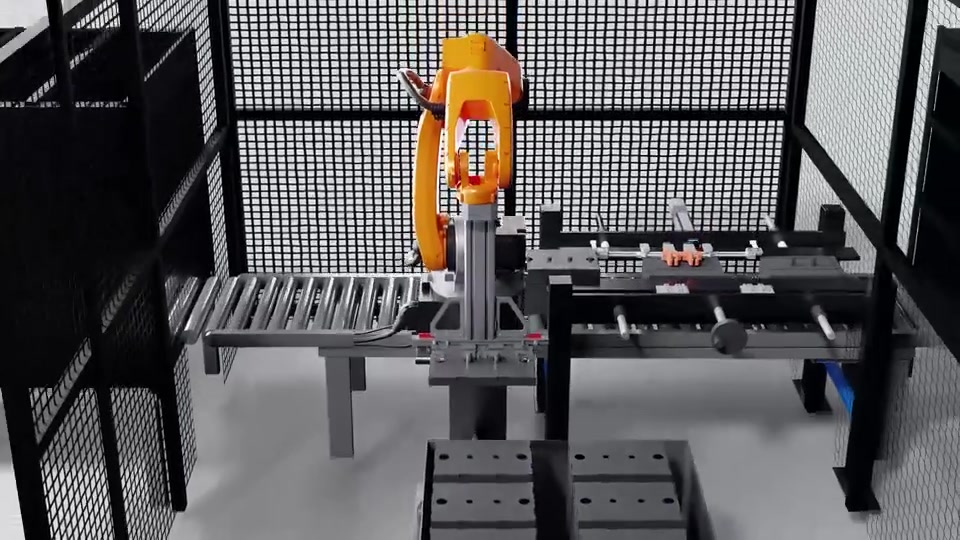
KUKA Robotics: six axes, one clear story
Product: Industrial robot arms working inside automated production cells.
The challenge: Automation is sold to plant managers who need to get it in seconds and to engineers who specify it precisely. Technical documentation loses the first group; marketing language frustrates the second.
What we built: Animation built from CAD geometry, with sequences isolating individual joints and range of motion, assembly and exploded views, and cutaways that move from the full cell down to a single component. We delivered versions cut for trade shows, the web, and sales meetings.
Why 3D: A robot's value is in how it moves. In 3D there's no scheduling around production, no lighting compromises on a factory floor, and the camera can go where no real camera could.
Result: One visual language that works across the funnel, with modular sequences that can be reused as the product range grows.
02 / 04
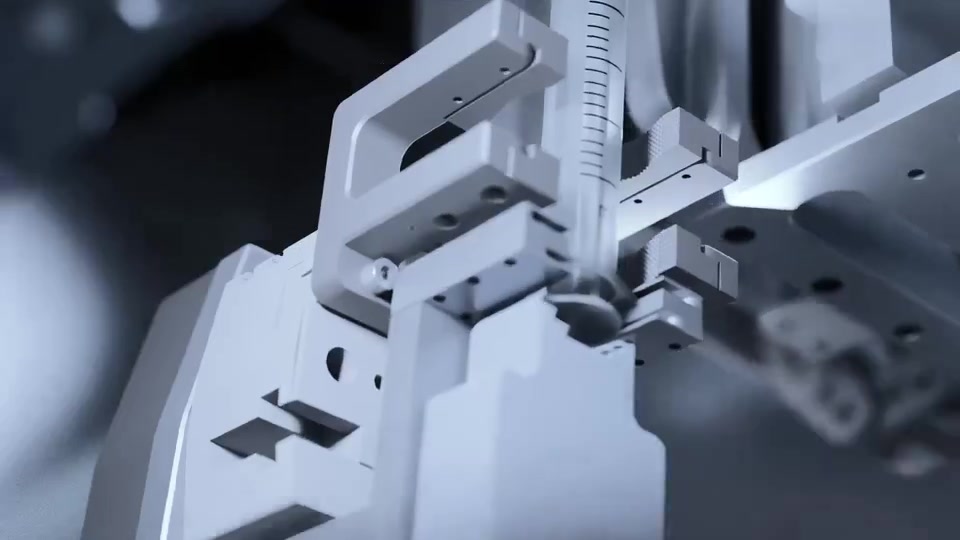
Ivtron: complex made obvious
Product: A medical product whose key advantage sits inside the housing.
The challenge: Buyers were asked to take engineering claims on trust or piece together how it worked from a cutaway diagram and a spec table. Neither builds conviction in a sales conversation.
What we built: A 3D animation that fades the exterior away and follows a path through the interior, plus exploded views, component breakdowns, and sequences showing the product in its operating context. Cuts were formatted for web, sales, and events.
Our approach: We treated the animation as an argument, not a showreel. Every sequence answers a real buyer question: how it works, why it's built that way, and what it replaces.
Result: A single asset the team can lead with, one that explains the product faster than a conversation and the same way every time, whoever is presenting.
03 / 04
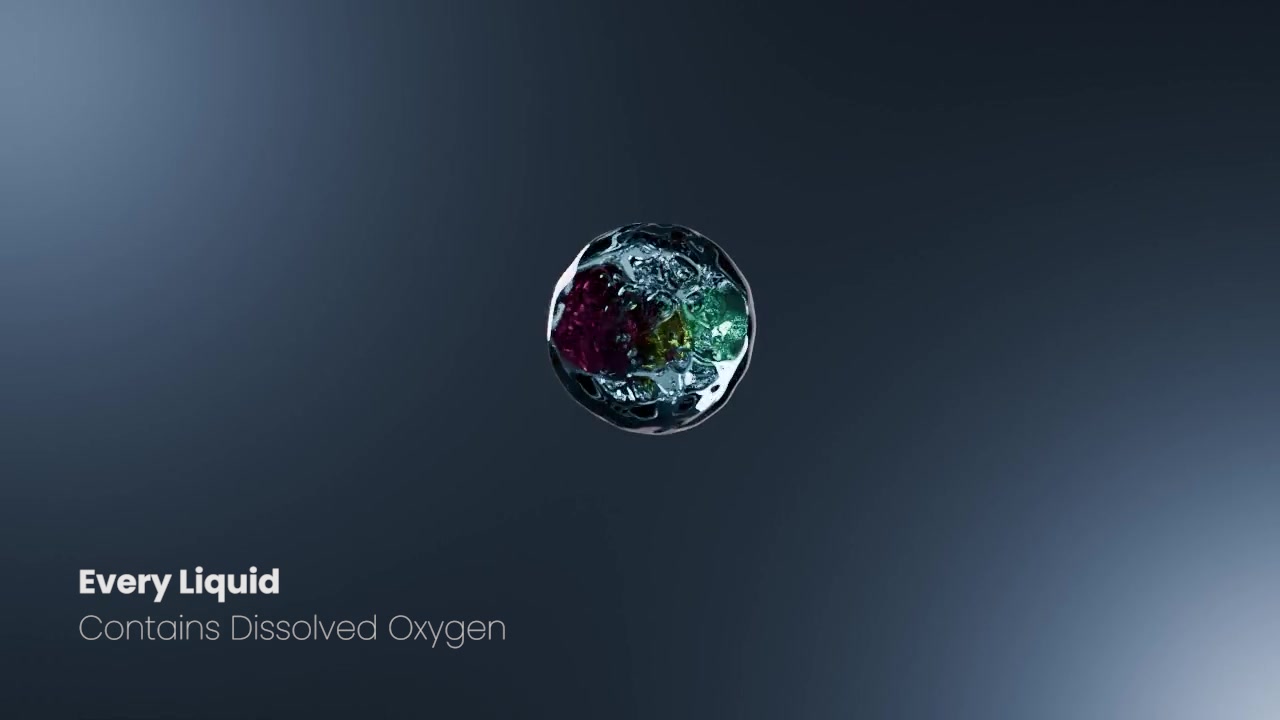
TecSense TecPen Fluid: precision, explained in motion
Product: The TecPen Fluid, a precision instrument from Austria that measures dissolved oxygen in liquids.
The challenge: The thing being measured is invisible. The video had to explain the instrument clearly in under a minute without oversimplifying a product engineers trust.
What we built: A 48-second explainer built entirely in 3D. Liquid and molecular visualization establishes the problem, then a photoreal product model carries the answer, with slow camera passes over the brushed housing and connectors and a closing shot in an industrial setting.
Smart detail: Short on-screen lines replace spoken dialogue, so the video works with the sound off and needs no translation for international markets. A vertical social cut extends it to short-form channels.
Result: One video that carries the whole product story and cuts cleanly into shorter product moments.
04 / 04
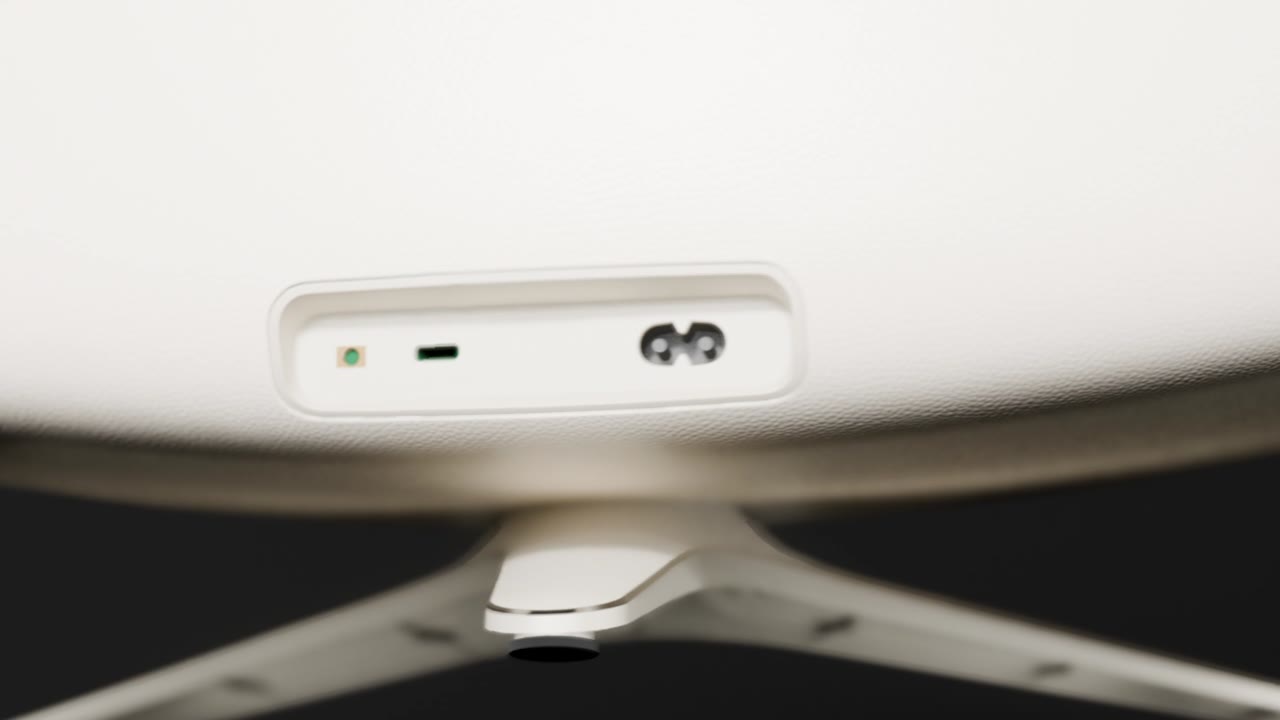
Honeywell: the speaker, opened up
Product: A Honeywell speaker.
The challenge: A speaker has to create desire from the outside and confidence in what's inside. A beauty shot handles the first but can't show how the product is built.
What we built: A photoreal 3D product film structured as a four-step progression: finished hero portrait, side profile showing the internal drivers and illuminated ring, front cutaway revealing the architecture, and an exploded view separating each layer.
Result: A visual story that moves the viewer from recognition to understanding in one pass, polished enough for brand use and specific enough to give the engineering a visible role.
Short-form product animations
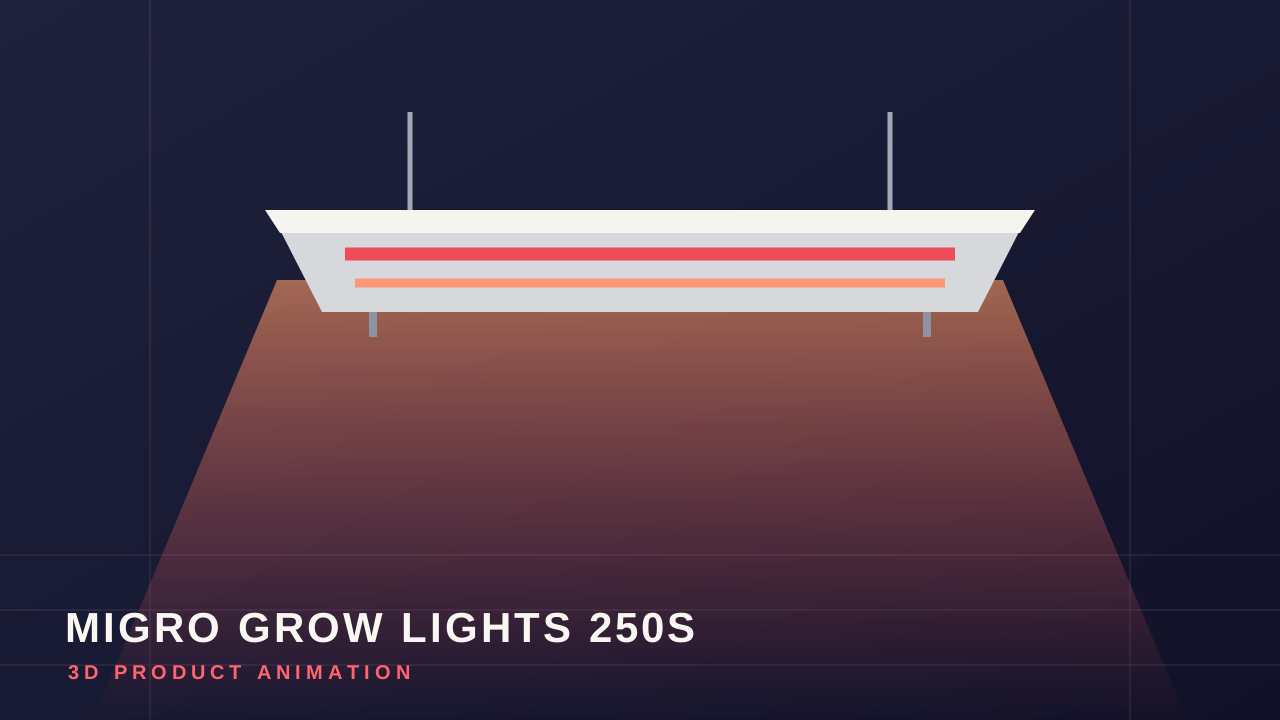
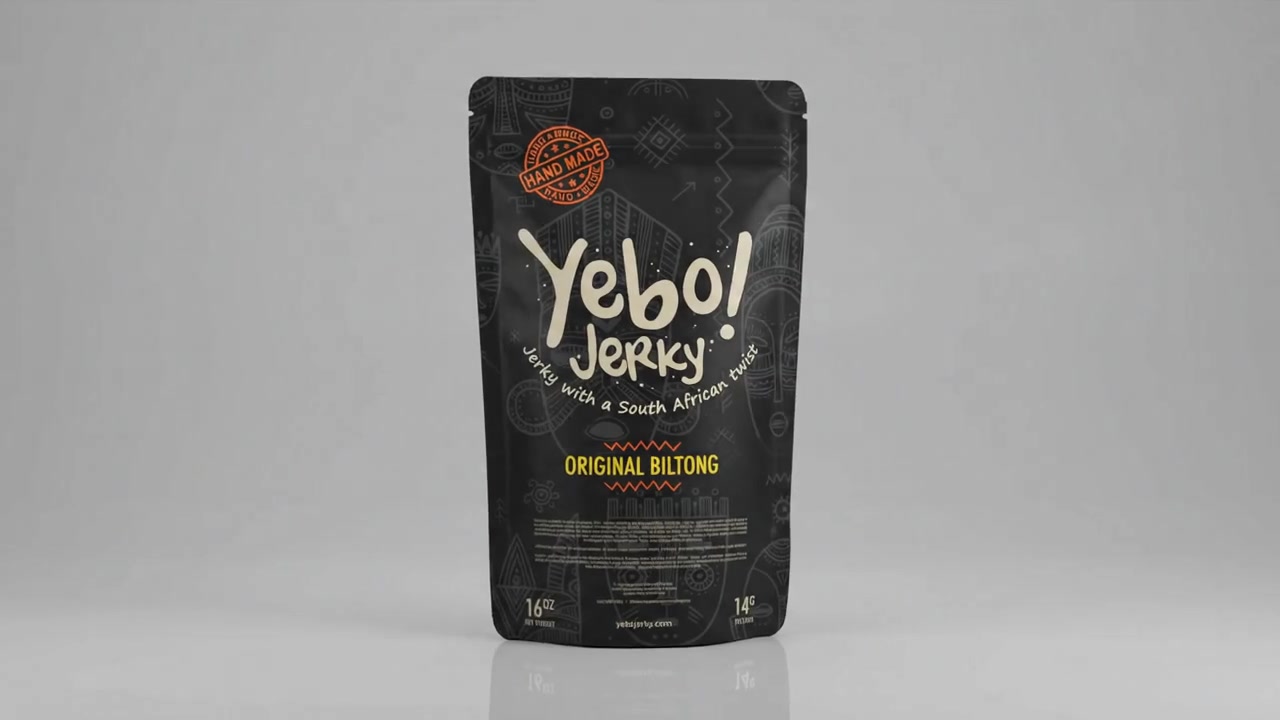
Not every project needs a full technical film. These short pieces sit in the hero loop tier from the cost table above: 10 to 25 seconds, built to stop the scroll on social, lead a product page, or loop on a screen at a booth.
08 / The brief
How to brief a 3D animation studio
A complete brief gets you an accurate quote faster and prevents the scope changes that inflate budgets. Before you reach out, gather answers to these:
09 / The answers
Frequently asked questions
How much does a 30-second 3D product animation cost?
A basic 30-second 3D product animation typically costs $5,000 to $15,000 in 2026. Technical versions with exploded views or internal components run $20,000 to $50,000 or more.
Do I need CAD files to get a 3D product animation?
No, but they help. CAD files (STEP, IGES, SolidWorks, or similar) speed up modeling and guarantee accuracy. Without them, a studio can build the model from technical drawings, reference photos, or a physical sample, which adds time and cost.
Is 3D animation cheaper than filming the product?
For a simple product that already exists, live-action is often cheaper. 3D becomes the better value when the product is complex, unreleased, very large, or needs to show internal parts, and when you'll reuse the model across multiple videos and channels.
How many revisions are included?
Most studios include two rounds of revisions across the storyboard, style frame, and animation stages. Additional rounds usually add 10 to 20% to the project cost.
Can AI make 3D product animation cheaper?
AI tools now speed up parts of the pipeline, such as draft motion, concept visuals, and localized versions, with some studios reporting 20 to 30% savings on suitable tasks. Accurate, on-brand product animation still needs skilled artists, especially where mechanical precision matters.
Can the 3D model be used for anything else?
Yes. The same model can produce still renders for your website and catalogs, interactive 3D viewers, AR experiences, and future animations. Make sure your contract gives you ownership of the model files.
What file formats will I receive?
Typically MP4 (H.264 or H.265) for web and social, plus high-bitrate masters such as ProRes for broadcast or events. Ask for every aspect ratio you need at the start, since adding them later costs more.
Ready to plan your 3D product animation?
Ukulab builds 3D product animations for companies whose products are too complex, too new, or too big to film well. Send us your product and your goal, and we'll recommend the right approach and give you a clear quote, usually within 2 business days.
Get a 3D animation quote